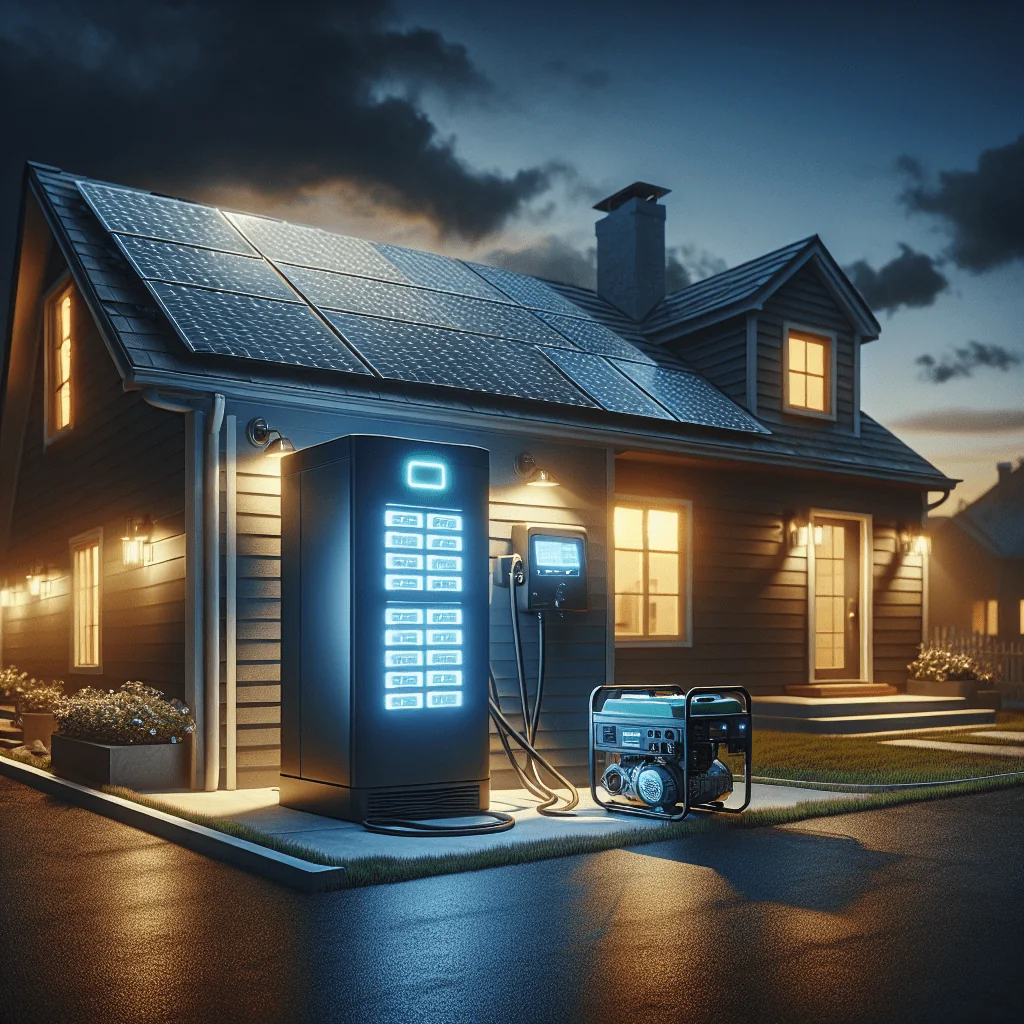

Integrating Smart Technology With Solar Battery Systems: What You Need to Know
In this article
Integrating smart technology with solar battery systems can turn a basic solar setup into a highly efficient, automated power system for your home. Smart controls help you decide how many solar panels you need, when to charge and discharge your batteries, and how to protect the system over time. This blueprint explains how smart features fit into battery sizing, inverter choices, safety, and long-term performance so you can design a system that actually matches your needs.
Blueprint Part 1: Smart Planning for Panels, Loads, and System Voltage
The first part of the blueprint focuses on planning: how many solar panels you need, what loads you want to run, and which system voltage (12V, 24V, or 48V) makes sense. Smart technology refines each of these choices with real data and automation.
How Smart Tech Helps You Decide How Many Solar Panels You Need
Before adding smart controls, you need a rough idea of how many solar panels you need for your home. Smart technology then refines that estimate by tracking real usage and weather data, which is more accurate than a simple “average kWh per day” calculation.
Smart monitoring platforms record your hourly and seasonal energy use. Over a few weeks, this data shows your real peaks, such as evening cooking or daytime air conditioning. Software can then suggest an adjusted panel count and battery size that better matches your actual habits instead of a generic profile.
Some smart inverters and energy management systems also use weather forecasts. On sunny days, they may prioritize charging your solar battery storage. On cloudy days, they may save battery power for evening use. This type of control can reduce how many solar panels you need to reach the same comfort level, because the system uses your solar output more efficiently.
12V vs 24V vs 48V: Choosing System Voltage With Smart Controls in Mind
Choosing between a 12V, 24V, or 48V solar battery system affects inverter choice, wiring, and smart integration. Higher voltage systems usually work better for whole-house setups and advanced controls.
Smart inverters and hybrid inverters designed for home backup are most often 24V or 48V. These systems handle higher power with lower current, which reduces wire size and heat. They also tend to offer better communication features for apps and monitoring.
12V systems are common in RVs, boats, and small cabins. Smart technology still helps in those setups, but the focus is usually on simple monitoring rather than full home automation. If you plan to run large loads or integrate with a smart home platform, 24V or 48V usually makes more sense.
The table below compares typical use cases for each system voltage in smart solar setups.
| System Voltage | Typical Use | Smart Integration Level | Pros | Limitations |
|---|---|---|---|---|
| 12V | RVs, boats, tiny cabins | Basic monitoring | Simple, widely available parts | High current for larger loads, less suited to whole-house |
| 24V | Small to medium homes, workshops | Moderate to advanced | Lower current, good match for many hybrid inverters | May still be limited for very large homes |
| 48V | Whole-house backup and off-grid homes | Advanced smart control | Efficient for high power, strong inverter options | More complex design, higher upfront planning |
Smart monitoring works at any voltage, but higher voltage systems usually unlock better inverter choices and more powerful automation features for a full home.
Blueprint Part 2: Battery Chemistry, Sizing, and Depth of Discharge
The second part of the blueprint covers your battery bank: lithium vs lead-acid, how to size a solar battery bank, and how depth of discharge settings affect lifespan and smart protection. Smart controls use these choices to balance runtime and durability.
Lithium vs Lead-Acid Batteries for Smart Solar Systems
Integrating smart technology with solar battery systems works better with some chemistries than others. The lithium vs lead acid battery choice affects how much you gain from automation and monitoring.
Lithium batteries usually support higher depth of discharge, more charge cycles, and better communication features. Many lithium batteries include a built-in battery management system that shares data with smart inverters. This makes it easier to monitor solar battery lifespan and degradation, and to prevent unsafe conditions.
Lead-acid batteries can still work with smart systems, but they often have limited data output. Smart controls may rely on voltage and current only, which is less precise. If you want strong integration, detailed runtime estimates, and fine control, lithium batteries usually pair better with advanced smart technology.
How to Size a Solar Battery Bank in a Smart System
Smart technology does not replace good design, but it can refine it. You still need to know how to size a solar battery bank based on your target backup hours and daily use. The basic process is the same, but smart monitoring makes the estimates more accurate over time.
First, decide your priority loads: lighting, refrigeration, internet, medical devices, or full-house backup. Then estimate how many kWh those loads use over the backup period you want, such as 4, 8, or 24 hours. This gives a target battery capacity before you factor in depth of discharge and losses.
Once the system is running, smart monitoring tools track actual usage during outages or at night. If the battery drains too quickly, the software can suggest changes, such as shifting some loads off the battery or adding more capacity. This feedback loop helps you fine-tune the battery bank size without guesswork.
Depth of Discharge, Lifespan, and Smart Protection
Depth of discharge (DoD) is the percentage of stored energy you use before recharging. For example, using 5 kWh out of a 10 kWh battery is 50% DoD. Smart systems use DoD as a key setting to protect solar battery lifespan and slow degradation.
Many smart inverters let you choose a minimum state of charge. This effectively sets your maximum DoD. For lithium batteries, you might allow deeper discharge than for lead-acid, because lithium usually handles more cycles at higher DoD. Smart controls can adjust this limit based on temperature, usage patterns, or system alerts.
Over time, smart monitoring shows how your battery capacity changes. If you notice that runtime at a given DoD is shorter than before, that suggests normal degradation. Smart reports help you plan for replacement instead of being surprised by sudden loss of capacity.
Blueprint Part 3: Inverters, Runtime, and Whole-House Operation
The third part of the blueprint looks at how inverters and smart controls work together: solar inverter vs hybrid inverter, what size inverter you need, how to calculate solar battery runtime, and whether you can run a house on solar and batteries only.
Solar Inverter vs Hybrid Inverter in a Smart System
Understanding solar inverter vs hybrid inverter differences is key if you want strong smart integration. A standard solar inverter converts DC from panels to AC for your home or grid. A hybrid inverter also manages battery charging and discharging.
Hybrid inverters typically include more advanced communication options. They can talk to batteries, smart meters, and home energy management systems. This allows detailed control, such as scheduling battery use, limiting export, or running backup circuits during grid outages.
With a separate solar inverter and battery inverter, you can still use smart tech, but integration may be more complex. Hybrid inverters often give a smoother experience, with a single app and better data for solar battery runtime and performance.
What Size Inverter and How to Calculate Solar Battery Runtime
Smart systems help you choose what size inverter you need and how long the battery can run your loads. The inverter must handle your peak power, while the battery capacity sets your runtime.
To calculate solar battery runtime, divide usable battery capacity (in kWh) by the load (in kW). For example, a 10 kWh battery with a 2 kW load gives about 5 hours, before losses. Smart apps refine this by measuring real-time loads and efficiency losses, then showing live “time remaining” estimates.
Many smart inverters also alert you if your load is close to or above the inverter rating. This helps you avoid overloads and suggests where to shift or reduce loads. Over time, you see which devices shorten runtime the most and can adjust your habits or system design.
Can You Run a House on Solar and Batteries Only With Smart Control?
You can run a house on solar and batteries only, but the success depends on system size, climate, and usage. Smart technology helps stretch your resources, but it cannot create energy you do not have.
Smart systems can shed non-essential loads automatically when battery charge is low. For example, they can cut power to electric water heaters or EV chargers while keeping lights and refrigeration on. This type of control makes off-grid living more practical without constant manual switching.
However, if your panel array is too small or your winter sun is weak, smart tech will simply show that the system is undersized. In that sense, smart integration is honest: it exposes real limits instead of hiding them.
Blueprint Part 4: Economics, Payback, and Choosing Backup Options
The fourth part of the blueprint focuses on money and backup strategy: whether solar battery storage is worth it, how smart control affects the solar battery payback period, and how to choose between portable solar generators and fixed battery systems.
Is Solar Battery Storage Worth It When You Add Smart Controls?
Many homeowners ask whether solar battery storage is worth it. Smart technology can shift that answer from “maybe” to “probably,” especially where grid power is expensive or unreliable. The main advantage is smarter timing of when you use stored energy.
Smart energy management systems can charge the battery when solar output is high and grid prices are low, then discharge during peak tariffs or outages. With time-of-use rates, this can shorten the solar battery payback period because you avoid the most expensive grid power. Without smart control, you might use battery power at times that bring less financial benefit.
Smart apps also help you see if your battery is underused. If you notice the battery sitting at high charge every night, you may choose to run more loads from stored energy. This increases the value you get from the battery without adding more hardware.
Solar Battery Payback Period and Smart Optimization
The solar battery payback period depends on hardware cost, energy prices, and how well you use stored energy. Smart control helps shorten payback by shifting usage to the most valuable times.
For example, a smart system can charge batteries from solar during the day, then discharge during peak evening tariffs. If you have demand charges, it can limit your maximum grid power draw by using battery support during spikes. Both strategies reduce bills more than a “set and forget” system.
Smart monitoring also exposes underused capacity. If you see that the battery rarely drops below 70% state of charge, you may decide to run more loads from it. That increases savings without extra panels or batteries.
Best Portable Solar Generator vs Fixed Battery System With Smart Control
The best portable solar generator vs battery system choice depends on how you use power. Portable units are great for camping or small backups, but they offer limited smart integration for whole homes.
Fixed solar battery systems with hybrid inverters usually provide deeper smart features. You get detailed monitoring, load control, and better options for automation. These systems can scale to whole-house backup, while portable units are better for a few key devices.
In some cases, you can use a portable generator as a smart “plug-in” backup for a small circuit. But for full smart home integration, a dedicated battery system is usually the better long-term choice.
Blueprint Part 5: Safety, Maintenance, Diagnostics, and Installation
The final part of the blueprint covers safety and care: solar battery safety tips, a simple maintenance checklist, amp-hour to kWh conversion, troubleshooting why a solar battery is not charging fully, and key installation requirements for smart systems.
Solar Battery Safety Tips With Smart Monitoring
Solar battery safety tips become easier to follow with smart technology, because you see problems earlier. Smart systems can alert you to high temperatures, unusual voltages, or wiring issues.
- Monitor battery temperature and avoid high-heat locations.
- Set conservative depth of discharge limits for longer life.
- Check alerts that explain why a solar battery is not charging fully.
- Use proper fuses, breakers, and disconnects as required.
- Keep batteries and inverters in dry, ventilated spaces.
- Follow manufacturer wiring and installation requirements.
Smart alerts do not replace safe design and installation, but they add an extra layer of protection. If the system flags a repeated fault, you can shut down and call a professional before damage occurs.
Maintenance Checklist, Amp-Hour Conversion, and Smart Diagnostics
A good solar battery maintenance checklist includes visual checks, cleaning, and reviewing system logs. Smart systems make the last part much easier, because you can see trends and errors at a glance.
To understand capacity, you may need solar battery amp hours to kWh conversion. Smart apps often do this for you by showing both units. The simple formula is: Ah × system voltage ÷ 1000 = kWh. Smart monitoring confirms whether the usable kWh you see matches the battery’s rated values.
If your solar battery is not charging fully, smart diagnostics can point to likely causes. The system may show low solar input, inverter limits, high battery temperature, or a wiring fault. This shortens troubleshooting time and helps you fix small issues before they grow.
Solar Battery Installation Requirements in a Smart Era
Solar battery installation requirements include electrical codes, ventilation, clearances, and safe mounting. Smart technology adds another layer: correct wiring for communication and data sharing.
Installers need to follow manufacturer guidelines for data cables, communication ports, and grounding. Poor communication wiring can cause false readings or lost data, which weakens the value of smart monitoring. A clean, labeled installation also makes future upgrades easier.
Once installed, smart commissioning steps include pairing the inverter and battery, setting time-of-use rules, and choosing backup priorities. Spending time on these settings is where you unlock the real value of integrating smart technology with solar battery systems.
Blueprint Part 6: Step-by-Step Smart Integration Checklist
This final checklist pulls the blueprint together into a simple sequence. Use these ordered steps to plan and integrate smart technology into your solar battery system.
- Define your goals: backup only, bill savings, off-grid living, or a mix.
- Measure your energy use with a monitor or utility data to estimate panel and battery needs.
- Choose system voltage (12V, 24V, or 48V) based on load size and future growth.
- Select battery chemistry (lithium or lead-acid) with smart features and communication in mind.
- Size your solar battery bank for target runtime, including depth of discharge limits.
- Pick a hybrid inverter or compatible inverter pair that supports smart apps and automation.
- Plan safety gear: fuses, breakers, disconnects, and ventilation for batteries and inverters.
- Install panels, batteries, and inverters following electrical and manufacturer requirements.
- Connect communication cables and set up the monitoring app or portal.
- Configure smart rules: charge windows, backup priorities, and export or grid-use limits.
- Test runtime, review smart data, and adjust loads, settings, or capacity as needed.
- Review alerts and performance monthly to keep the system safe, efficient, and on track.
By following this structured checklist and using smart controls at each step, you can design, install, and run a solar battery system that fits your home, protects your hardware, and makes the most of every kilowatt-hour you store.